
Dialer Real Time Report
Dialer Real Time
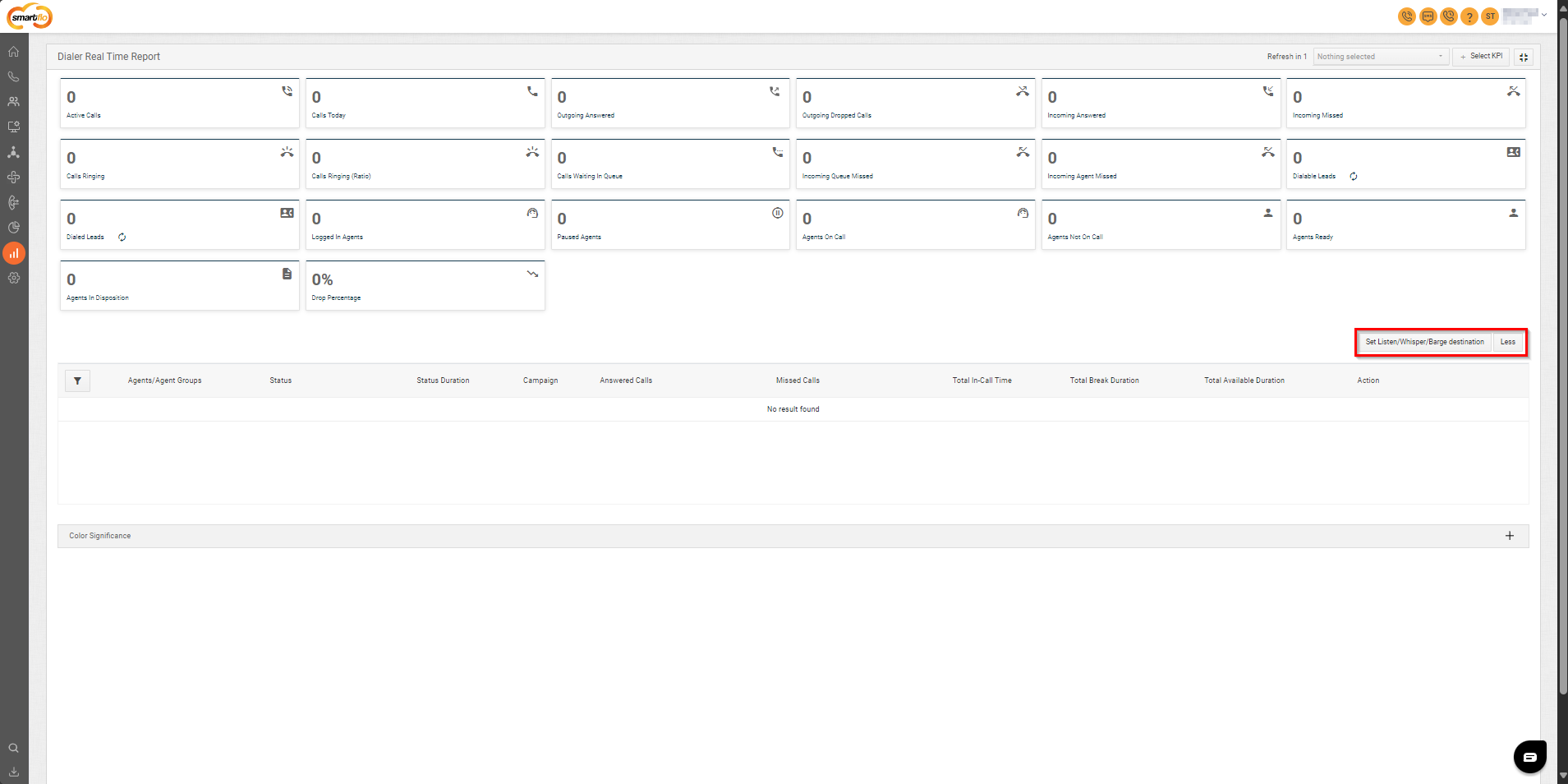
Set Listen/Whisper/Barge Destination
- This button will help you to set the destination of Listen/Whisper/Barge.
- Click Set Listen/Whisper/Barge Destination button on the bottom-right corner of the page.
- Select the destination.
- Click More button on the bottom-right corner of the page to view more real-time fields.
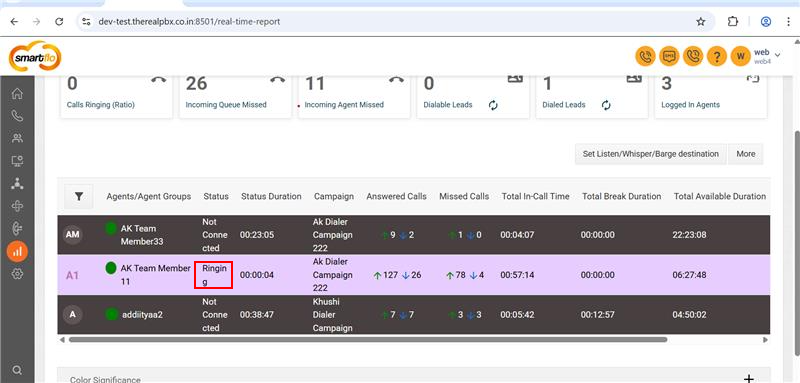
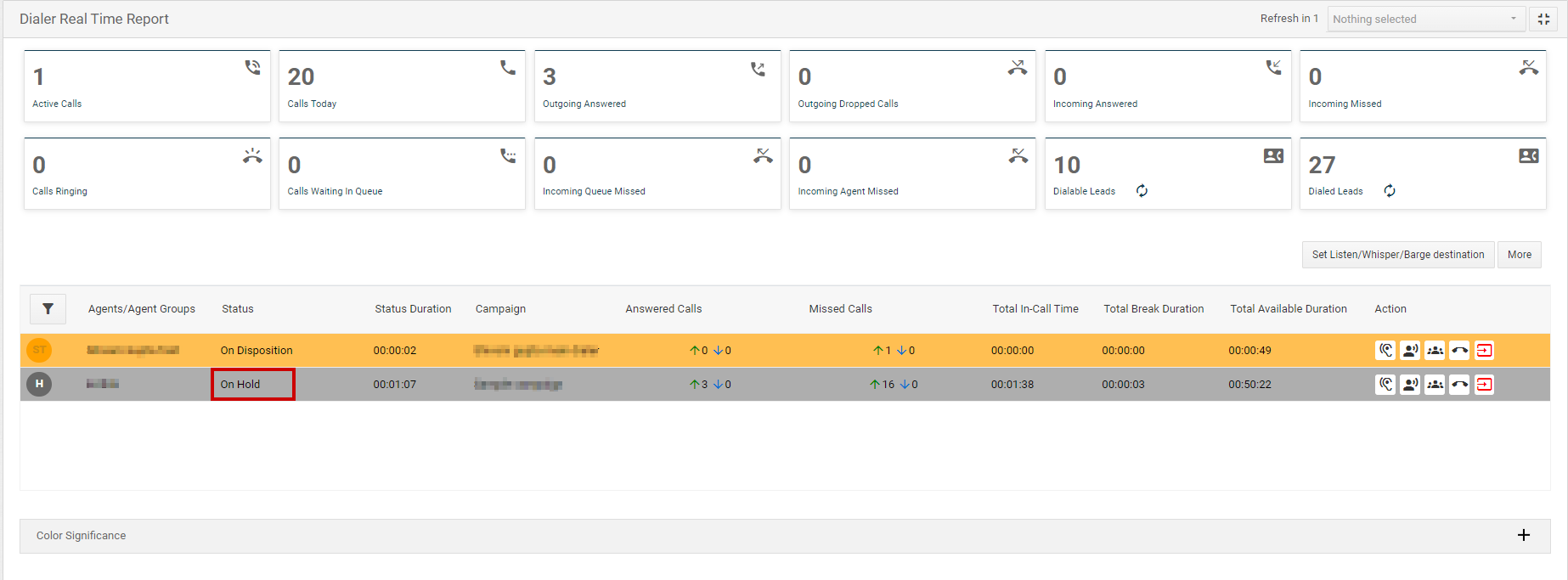
Metrics
| Field | Description |
|---|---|
| Active calls | Displays the total number of active calls. |
| Calls Today | Shows the total number of calls made or received on a particular day. |
| Outgoing Answered Calls | Represents the total number of outgoing calls that were answered. |
| Outgoing Missed | Includes all dial methods where the customer didn’t answer. |
| Outgoing Dropped Calls | Displays the total number of outgoing calls that were dropped. |
| Incoming Answered | Shows the total number of incoming calls that were answered. |
| Incoming Missed | Indicates the total number of incoming calls that were missed. |
| Calls Ringing | Represents the total number of calls currently in the ringing state. |
| Calls Ringing (Ratio) | Represents the total number of calls currently in the ringing state. (For Ratio method) |
| Calls Waiting In Queue | Displays the total number of incoming calls waiting in the queue. |
| Incoming Queue Missed | Indicates the total number of missed incoming calls through the queue. |
| Incoming Agent Missed | Shows the total number of incoming calls missed by agents. |
| Dialable Leads | Displays the number of leads remaining to be dialed. |
| Dialed Leads | Represents the total number of leads that have been dialed. |
| Logged In Agents | Shows the total number of agents currently logged in. |
| Paused Agents | Displays the total number of agents currently on a break. |
| Agents On Call | Represents the total number of agents currently on a call. |
| Agents Not On Call | Displays the total number of agents who are not on a call. |
| Agents Ready | Shows the total number of agents available and ready to take calls. |
| Agents In Disposition | Represents the total number of agents marking down the output of the call. |
| Drop Percentage | Indicates the percentage of calls picked by customers but missed by agents. |
Agent-Level Details
| Field | Description |
|---|---|
| Agent name | Displays the name of the agent. |
| Status | Indicates the current activity of the agent (e.g., On Hold, On Call, Ready, Ringing, Connecting to Agent). |
| Status Duration | Shows the total time spent by the agent in the current status. |
| Campaign | Displays the name of the campaign the agent is assigned to. |
| Answered Calls | Represents the total number of outgoing and incoming calls answered by the agent. |
| Missed Calls | Shows the total number of outgoing and incoming calls missed by the agent. |
| Total In-Call Time | Displays the total time the agent was actively on a call. |
| Total Break Duration | Indicates the total time the agent spent on a break. |
| Total Available Duration | Displays the total time the agent was available to take calls. |
Color Significance
- Click the + icon on the bottom-right corner of the page to view the significance of each color in the report.

Updated over 1 year ago